
The no-download event app · Made in New Zealand
Your whole event,
behind one QR code.
Attendees scan once and the live programme, speakers, Q&A, polls and networking open in the browser they already have. No app store, no accounts, no queue at the registration desk.
Top questions
Which copilot tasks do you actually trust unreviewed?
▲ 21How do juniors learn when the copilot writes the code?
▲ 17What does code review look like in five years?
▲ 11Live poll · Biggest blocker to adopting copilots?
Modern Technology Aotearoa
Where Aotearoa builds what's next
On now
The agentic developer: shipping with AI copilots
Aronui Auditorium
Māori data sovereignty in practice
Kōwhai Room
Up next
Lunch & expo
Expo Hall
Agenda · today
Opening keynote: AI, ethics and the Aotearoa advantage
Aronui Auditorium
The agentic developer: shipping with AI copilots
Aronui Auditorium
Māori data sovereignty in practice
Kōwhai Room
Lunch & expo
Expo Hall
← The agentic developer
Live Q&A
Which copilot tasks do you actually trust unreviewed?
▲ 21How do juniors learn when the copilot writes the code?
▲ 17Live poll · biggest blocker to adopting copilots?
Speakers
More
A recreation. Open the real demo →
The organiser side
One dashboard. A live preview of every change.
You edit next to a live phone preview, so what the room sees is never a surprise. Moderate questions, launch polls, shift a late-running day with one tap.
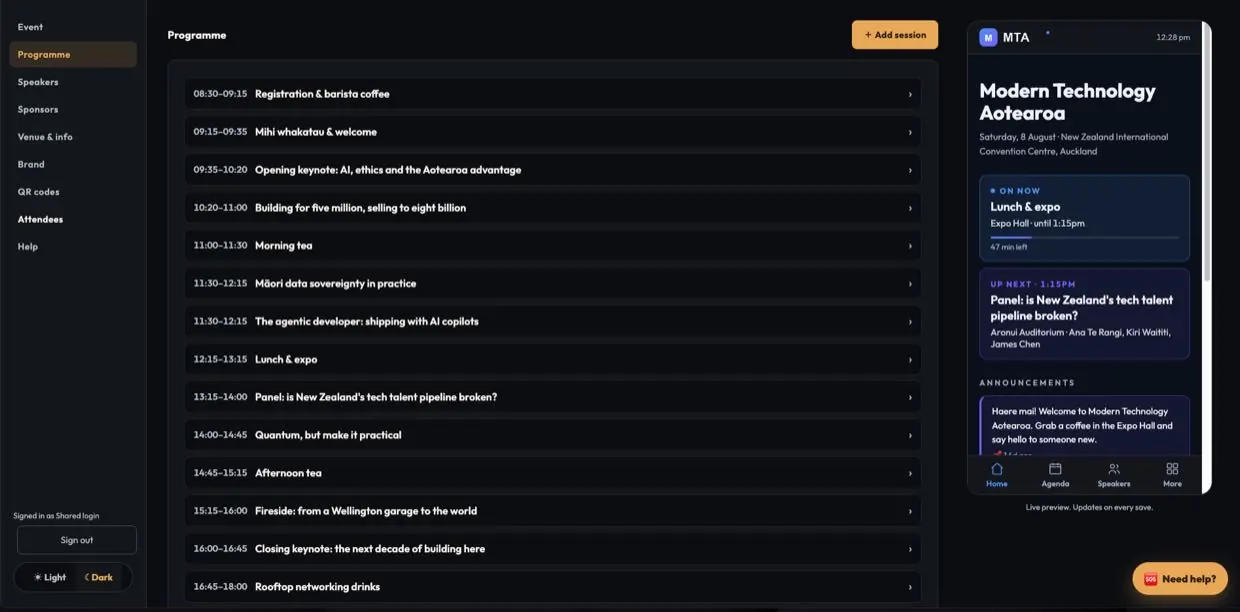
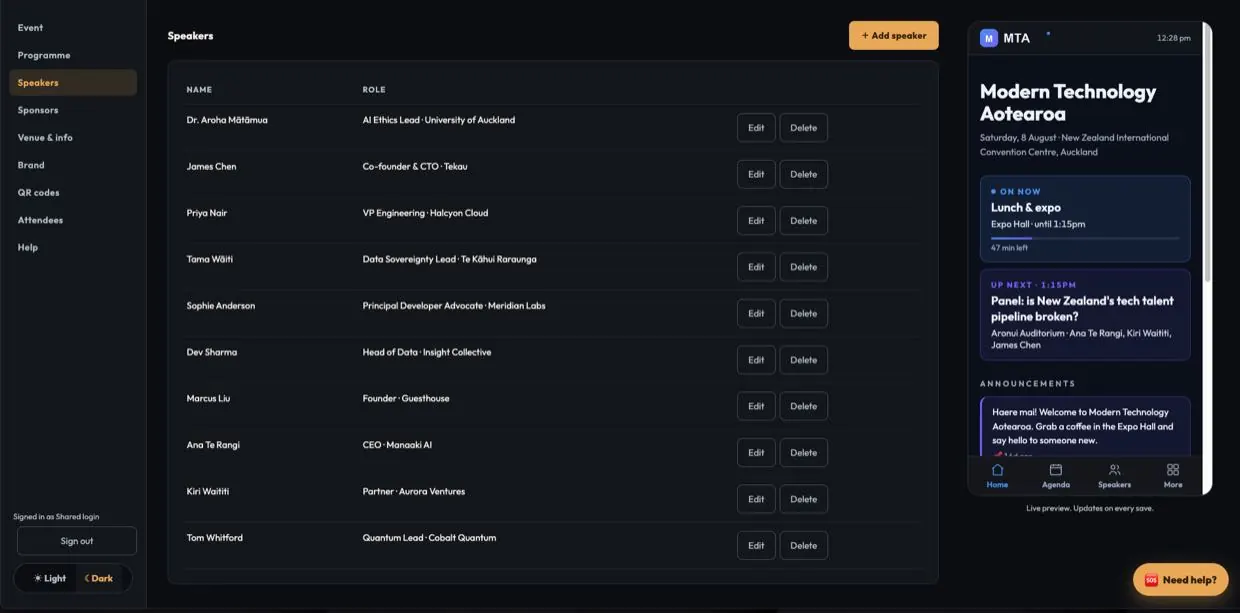
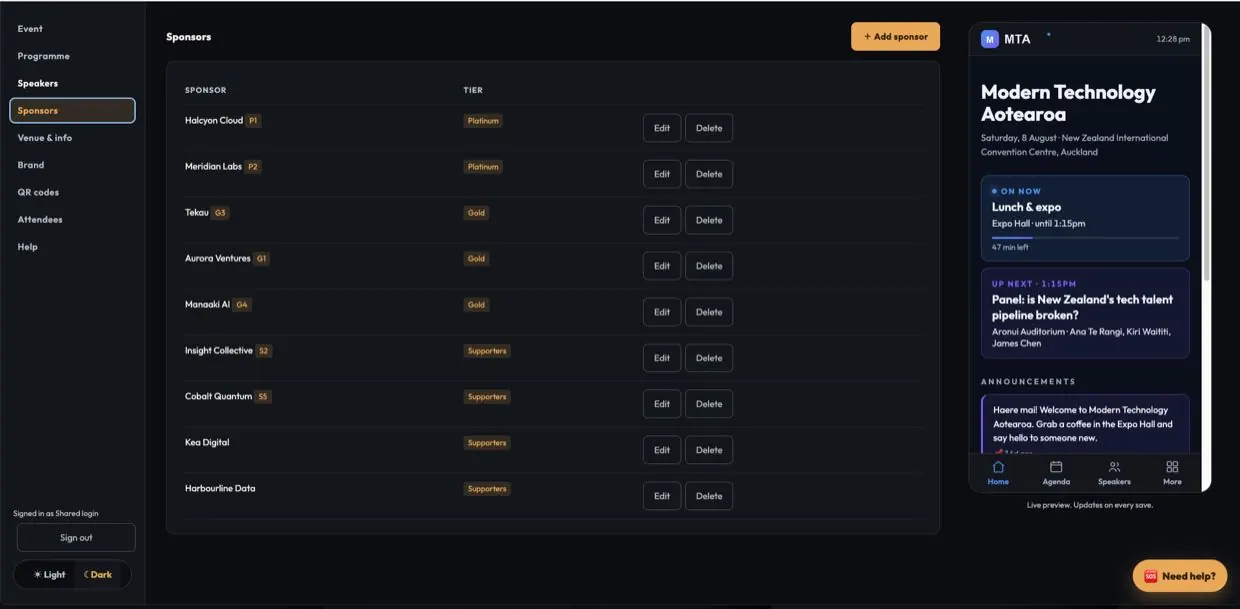
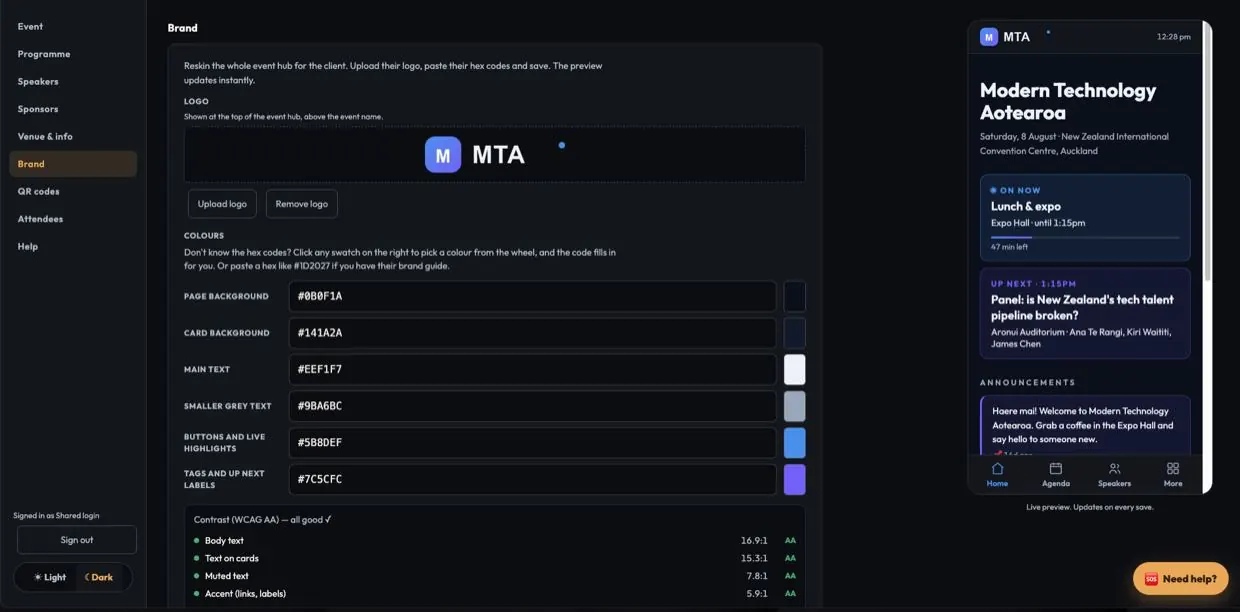
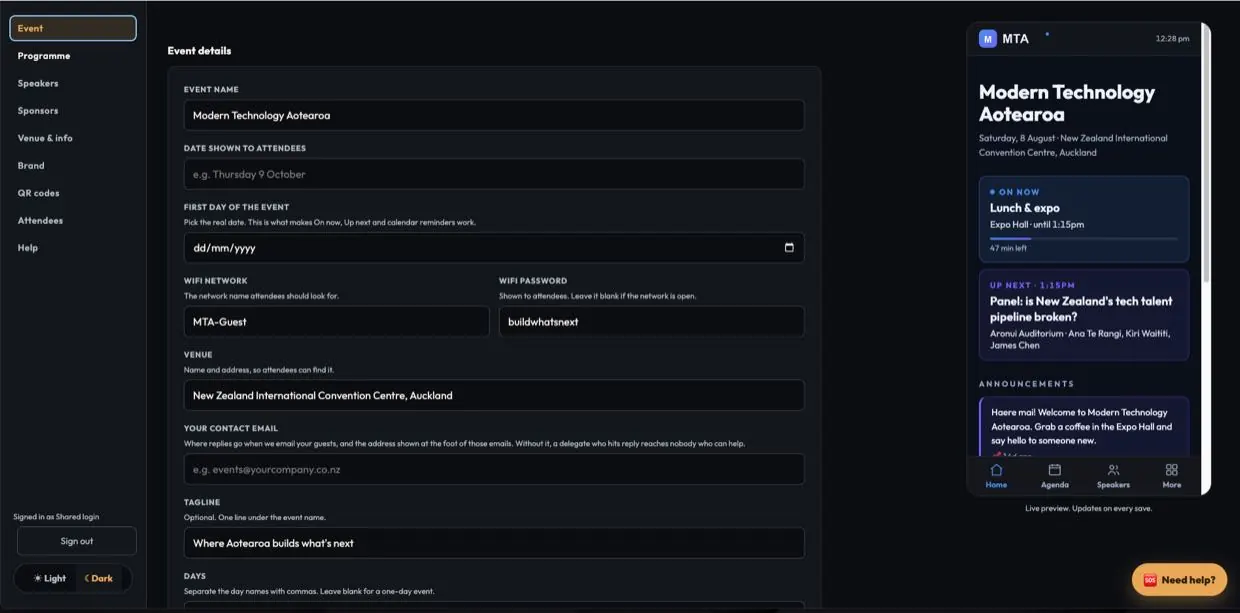
The real dashboard, page by page. Demo event data, not a client's. Open the live demo.
What attendees get
Scan once. Everything's there.
Every tool your attendees actually use, with none of the download friction that kills event apps.
Live programme
On-now and up-next update in real time. Attendees star sessions into a personal agenda and add them to their calendar. Change a session at 8:55 and every phone has it within about a minute.
Live Q&A, polls, word clouds
Every talk runs its own upvoted Q&A and live polls, with results on the big screen in real time. You moderate with one tap.
Speakers and sessions
Bios, photos, and who is on when. Every speaker links to every session, both ways.
Attendee networking
An opt-in contact book: join it to see the room. Personal QR badges people swap by scanning. Consent-first, exportable, and it deletes itself after the event.
Sponsors that measure
Tiered sponsor cards with clickable links and offers, and every QR scan counted so your partners get a number at the end, not a thank-you.
Maps, wifi and info
Room directions, floor map, wifi details and the good-to-know list. Fewer queues at the registration desk.
Before the doors open
The programme builds itself.
The slowest part of any event app is chasing content. Foyer hands that work to the people who have it.
Call for talks
A public link where anyone can pitch a session, including their full abstract as a Word doc or PDF. Score the pitches, click accept, and the talk lands in your programme automatically.
Speakers onboard themselves
Send each speaker a private link and they fill in their own bio, headshot, AV needs and dietaries. No chasing, no re-typing. You just watch the ticks appear.
One visual dashboard
Edit anything next to a live phone preview. Moderate questions, launch polls, print QR posters, and give your team their own editor login.
Privacy, kept
Consent-first contact book, one event per install, and attendee data that deletes itself on a date you set. It runs on a timer, not on someone remembering.
How it works
Paste your programme. Brand it. They scan.
Building your own event takes about an hour. On the Full Service tier you skip even that: send us your programme and colours and it arrives finished. Either way, we are on the phone on event day.
Paste your programme in
Straight out of the email it arrived in, one session per line, or from a spreadsheet. Or open a call for talks and let the programme come to you.
Put your colours on it
Paste your hex codes, upload your logo, print the QR posters. Speakers fill in their own profiles from a link, so you are not chasing bios.
Attendees scan and go
Doors open, they scan, they are in. Running late? One tap moves the rest of the day and everyone who saved a session is told.
Why Foyer
Big event apps rent you their brand. Foyer gives you yours.
The big event apps
- Attendees must download and register
- Per-attendee pricing that punishes a full room
- Powered by someone else's logo
- You learn their dashboard, you do the setup
- Support ticket queue in another timezone
- Pricing on request, after the demo call
Foyer
- One QR, attendees are in within seconds
- One flat price per event, any audience size
- White-labelled: your logo, your colours
- An hour in a visual builder, or built for you
- The people who built it, on the phone on event day
- Prices published, in full, on this page
Shopping around? See how Foyer compares to Slido and Pigeonhole Live.
Pricing
One flat fee per event. Never per attendee.
A room of 50 or 5,000, same price. For context, a typical conference app plus a separate Q&A tool runs NZ$3,000+ per event, on two invoices, and most of them make you sit through a demo call to hear a number. Ours is below, in full. You should not need a sales call to find out the price.
Lite
You build it, in about an hour. Workshops, AGMs, awards nights, single-day conferences.
$950+GST / event
- The full event hub: programme, speakers, maps, wifi and info
- Live upvoted Q&A on any session
- Opt-in attendee contact book
- The visual builder with a live phone preview
- Print-ready QR poster art
Full Service
Send your programme and colours. It arrives finished: branded, loaded and live behind your QR code.
$1,400+GST / event
- Everything in Lite, built and branded for you
- Live polls, word clouds and the big-screen present view
- Call for talks with Word and PDF abstract uploads
- Speaker self-onboarding links
- Sponsor analytics, every QR scan counted
- An editor login for your team, and us on the phone on event day
Every tier: unlimited attendees, single day or multi-day, hosting for the life of the event, your data deleted afterwards.
Your headcount can double after the invoice. The invoice doesn't.
Questions, answered
Everything organisers ask us.
Do attendees need to download an app?
What happens to attendee data after the event?
What does a Foyer event include?
How much does it cost?
How fast can we be live?
Where does our event data live?
What happens if the venue wifi drops?
What happens on event day if something breaks?
Can it match our brand, or our client's?
Does it work for multi-day conferences?
What does Foyer not have yet?
See it in 10 minutes
Put your next event behind one code.
Open our live demo event and click around, on your phone or right here. Or send your event name and colours and we will brand a demo to you before we even meet.
Or just email kraig@foyer.co.nz, or call 022 509 9428 and speak to Foyer. Tell us the event name and the rough date, and we will confirm it the same day. The price is already on this page.
From $950 flat per event. Foyer is built and run by the two of us at Auckland Creative, so on event day you are talking to the people who made it, not a ticket queue.